
















Building software that automates user interactions requires a clear understanding of the technical process. Many companies want to optimize resources and reduce admin workload. If you plan to create your own platform for scheduling appointments, you will need a reliable AI scheduling assistant that can handle customer requests smoothly. It is important to note that this article is not a review of ready-made services or a selection of tools on the market. It is a detailed practical guide that explains the AI booking assistant development process from the initial idea to the first release.
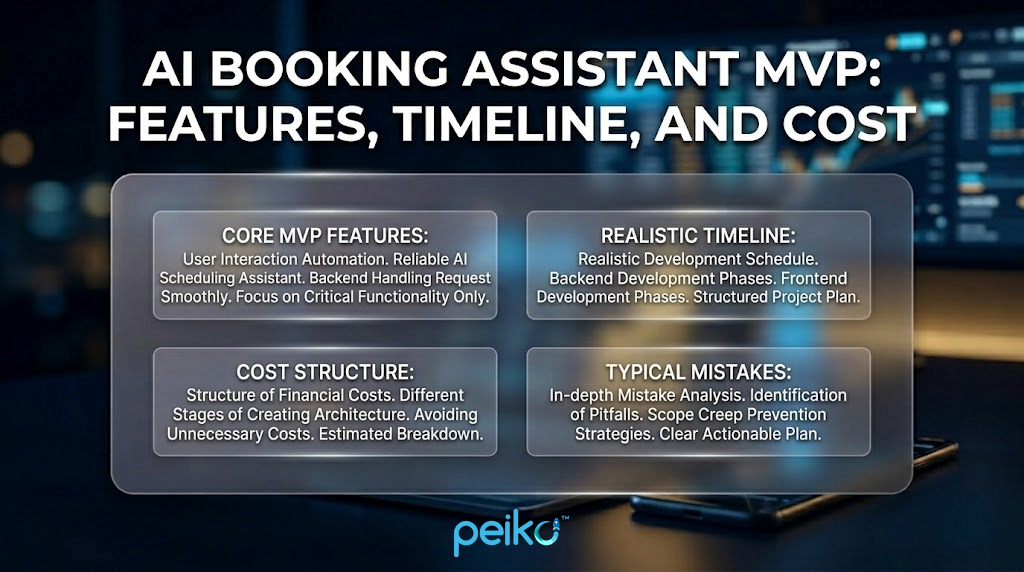
We will analyze in detail how to create a minimum viable product. You will learn what basic functions need to be implemented in the first version so that the product performs its main task. Next, we will consider a realistic schedule for the development of the backend and frontend, analyze the structure of financial costs at different stages of creating the architecture, and analyze typical mistakes in detail. Our goal is to provide you with a clear plan that will help you avoid unnecessary costs and focus exclusively on critical functionality during launch.
What Is an AI Scheduling Assistant (and What It Actually Does)
From an architectural point of view, an AI-powered scheduling application is a complex back-end system that can process natural language queries, recognize user intent, and interact with databases without human intervention. This product is fundamentally different from a standard calendar app or a hard-coded chatbot.
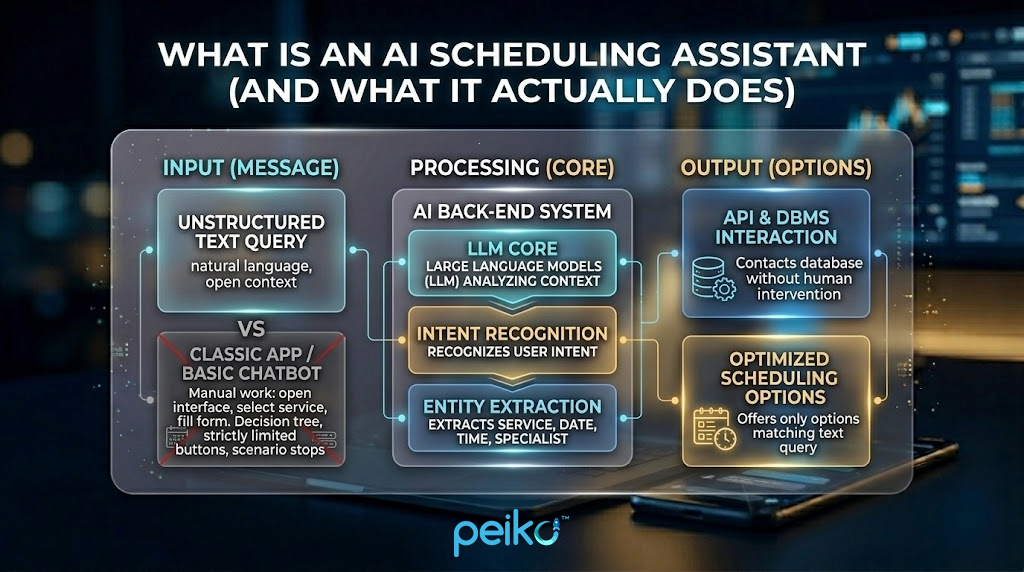
A classic application requires the user to perform manual work: open the interface, find an available slot, select a service from the list, and fill out a form with contact information. The basic chatbot of the previous generation works on the principle of a decision tree, where each step is strictly limited by buttons. If the client formulates a request in a non-standard way, the script stops. In contrast, an ai powered scheduling assistant works on the basis of large language models that analyze the context.
When a message arrives, the system extracts entities, the type of service, the desired date, time of day, and the name of the specialist. After that, the program, using the API, contacts the database management system to offer the client only those options that match is unstructured text query. If you want to create a high-quality AI assistant for scheduling, you will have to pay the most attention to the intent recognition module and free time search algorithms.
In everyday development, these two terms are often interchangeable, but when designing a technical architecture, there is a significant difference between them. Understanding this difference allows you to correctly design the database and the logic of interaction between modules on the server.
Systems of the first type focus on limited physical resources. The backend must account for service duration, staff schedules, rooms, and equipment. For example, two services cannot be booked at the same time if they depend on the same device, even when two employees are available.
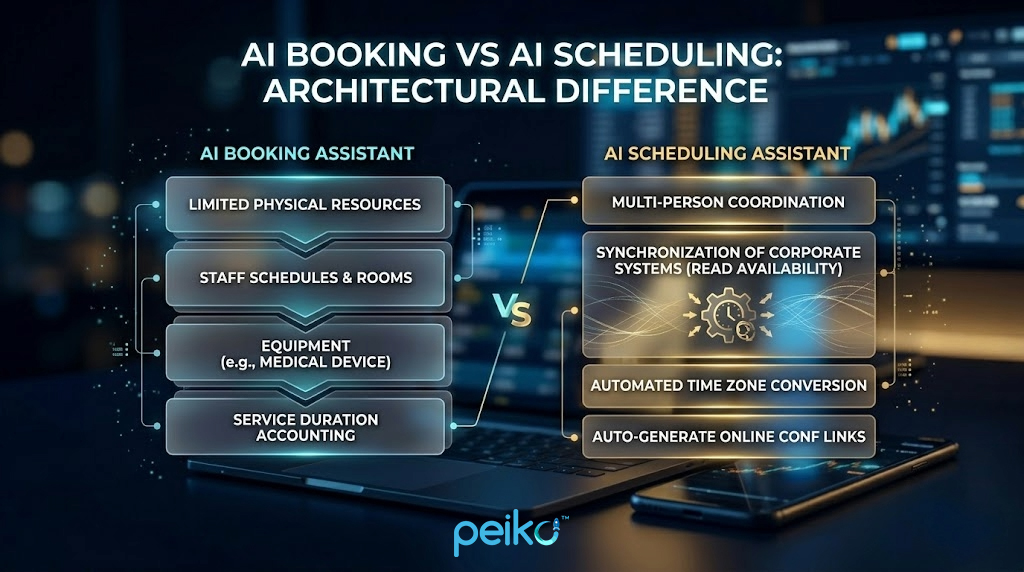
Systems of the second type are focused on finding the optimal time interval between several people. Here, the main architectural problem is the synchronization of schedules. The backend must be able to read availability from different corporate systems, automatically convert time zones for all participants and generate unique links to online conferences. ai scheduling assistant plays the role of a coordinator that analyzes arrays of data on free time and finds intersections for all invited persons simultaneously.
Who Needs an AI Booking Assistant MVP (Use Cases)
Defining the target audience influences the choice of features for the first version. Different business models have different requirements for the scheduling logic. Implementing ai appointment booking is most cost-effective in niches with a high transaction frequency and a high workload on operators.
- Beauty salons: The peculiarity of this niche is that a significant part of the requests come in after hours. Automation lets you capture bookings at night or on weekends. The system must work flexibly with the duration of different procedures and combine them into one visit.
- Medical clinics: The main requirement is the accuracy of appointments with narrow-profile doctors. At the start of development, it is important to avoid collecting confidential medical data so as not to waste resources on providing a complex infrastructure for storing patient data.
- Fitness studios: The specifics are to limit the number of participants. The program code must take into account the limit of places for group classes and stop recording when the hall capacity reaches its maximum.
- Home services: Cleaning companies and repair teams require the system to take logistics into account. The free time calculation algorithm should add a buffer for the employee’s movement between client locations.
- Consultants and coaches: Private specialists need simple automation to coordinate session times. The main focus is on convenient time zone conversion and sending call links.
- B2B sales: Marketing departments integrate automation to instantly schedule demonstration calls with cold leads. The system should analyze the schedule of sales managers and offer the nearest available slot directly on the company’s website.
AI Booking Assistant MVP: Must-Have Features (Core)
For the first version to work reliably, the product must have a basic set of modules. These functions are the basis of the system. Without them, processing customer requests is simply impossible.
- Natural language booking flow allows the system to understand plain text, even with errors, abbreviations, or slang. It converts unstructured input into clear booking data such as service, date, and time. This makes the interaction feel natural instead of command-based.
- Availability lookup checks free time in the database and must respond instantly. Its goal is to prevent double booking while the user is still choosing a slot. To do this, developers usually add a soft lock that temporarily reserves the selected time. If the user does not confirm, the slot is released automatically.
- Create appointment is the main module for creating the appointment itself. When the customer confirms all the details, the system generates a new record in the database. The program logic itself calculates when the service will end (based on the service directory) and automatically updates the general work schedule of a particular employee.
- Reschedule & cancel helps manage appointments. Users should be able to easily change their plans without the help of a live administrator. The system finds the current customer appointment, deletes it or changes the time, and instantly frees up space for other system users.
- Collect customer details handles contact capture. After the user selects a time, the bot asks for a name and phone number or email, validates the format, and sends the data securely to the database.
- Confirmation messages send automatic notifications. When a record is created in the database, the system sends a text message with confirmation. It clearly indicates the selected time, the name of the service and the address. This is critical to reduce the number of situations when people forget about appointments and do not come.
- Fallback / handoff to human works as a protective mechanism. If artificial intelligence does not understand what the user wants or sees a conflict situation, the algorithm stops automatic responses. The full conversation is passed to a live operator through the admin panel so that the human can solve the problem manually.
- Basic rules manage the rules of working hours. This module contains settings for work schedules, weekends, breaks and cleaning time between client visits. The server always takes these rules into account when searching for free slots. Thanks to this, the system never offers irrelevant or non-working times.
MVP Features That Save You Weeks (Smart Shortcuts)
If you try to make too complex functionality in the first version, you will inevitably spend a lot of time and exceed the planned budget. Some MVP features should be simplified on purpose. This will help you test your idea on the market much faster. If you plan to create such a product, you should use reasonable engineering constraints.
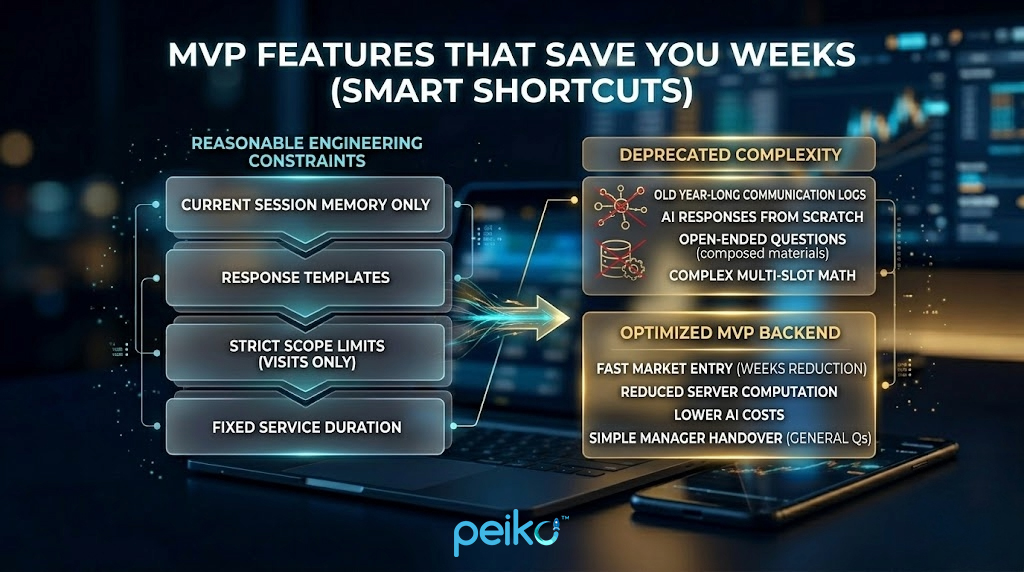
Developing a full-fledged long-term memory of a bot that will analyze the client’s communication history for the entire past year requires a very complex and expensive database. Instead, make the bot remember only the current dialogue session. Use ready-made templates for responses. This saves a lot of money on requests to artificial intelligence.
It is also worth strictly limiting the amount of what the bot can do: the program should only record, transfer or cancel visits. If the user asks general questions (for example, about the composition of materials or service guarantees), the algorithm should immediately transfer the conversation to the manager. In addition, using a fixed list of services with the same and unchanging duration greatly simplifies calculations on the server. This way you avoid complicated math when combining different time slots.
| Feature Category | Initial Product Stage | Post-Launch Versions (V1+) |
| Communication Logic | Text-based web chat widget only | Omnichannel voice calls and popular messengers |
| Context Management | Retains data for current active session | Deep personalization using historical client data |
| Service Catalog | Pre-defined services with fixed durations | Dynamic multi-service booking and flexible pricing |
| Financial Transactions | Booking confirmation only, no checkouts | Integrated payment gateways and deposit collection |
Example flow
User: Hello, do you have time for a legal consultation tomorrow afternoon?
AI: Hello. There are slots available for tomorrow at 2:00 PM and 3:30 PM. A standard consultation lasts 60 minutes. What time would be more convenient for you?
User: Schedule me for 2:00 PM.
AI: Okay, I’ve reserved this slot. Please share your name and phone number to confirm the booking.
User: Ethan Walker, (202) 555-0147.
AI: Thank you, Ethan. Your appointment for a legal consultation tomorrow at 2:00 PM has been successfully confirmed.
Calendar and Scheduling Integrations (Google, Outlook, CRM)
Integrating external platforms is one of the harder parts of backend development. The system must reliably and without errors synchronize its local data with the tools that the company already uses to do business.
Connecting Google Calendar is a basic industry standard. Most small businesses store their schedules in this system. Programmers need to configure secure access (via the OAuth 2.0 protocol) and webhooks processing. This is necessary so that the database instantly updates itself when the administrator manually deletes an event in the calendar.
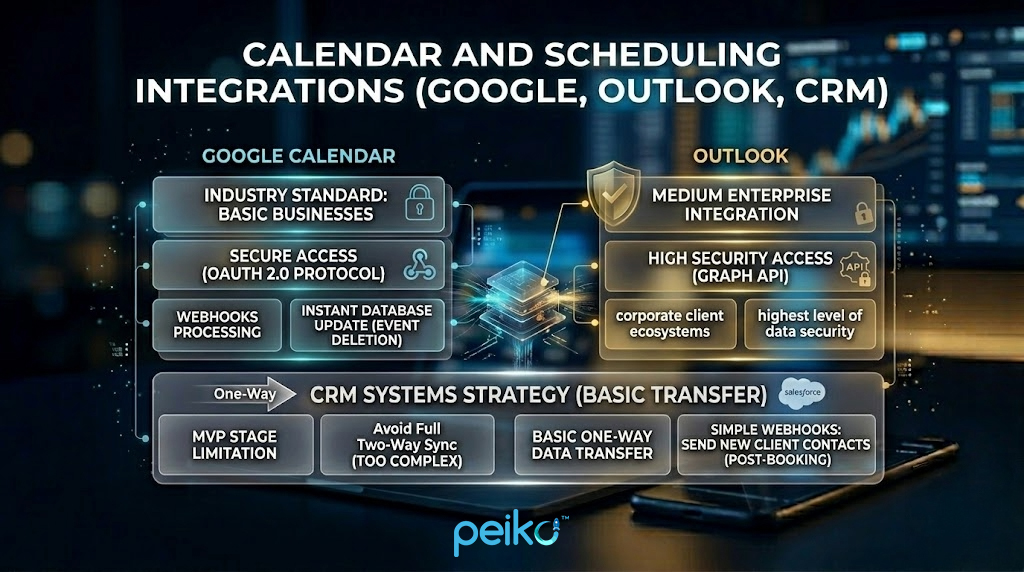
If your product is designed for medium or large enterprises, you will definitely need AI scheduling assistant outlook integration. Corporate clients work in very secure ecosystems. Therefore, developers will have to connect to them (via the Graph API), ensuring the highest level of data security.
CRM systems deserve special attention. At the stage of the first version, it is too expensive and time-consuming to do full two-way synchronization with popular corporate CRMs due to constant changes in their settings. It is best to limit yourself to basic one-way data transfer for a start. The simplest approach is to use regular webhooks. They will automatically send the contacts of a new client to the CRM immediately after the booking procedure is fully completed.
Chat-First vs Voice-First: What Should Your MVP Start With?
In the modern technological world, there is a big fashion for developing voice interfaces. However, for the stage of checking the idea, we strongly advise developers to focus exclusively on the text approach. This decision is fully justified by the technical complexity and high costs.
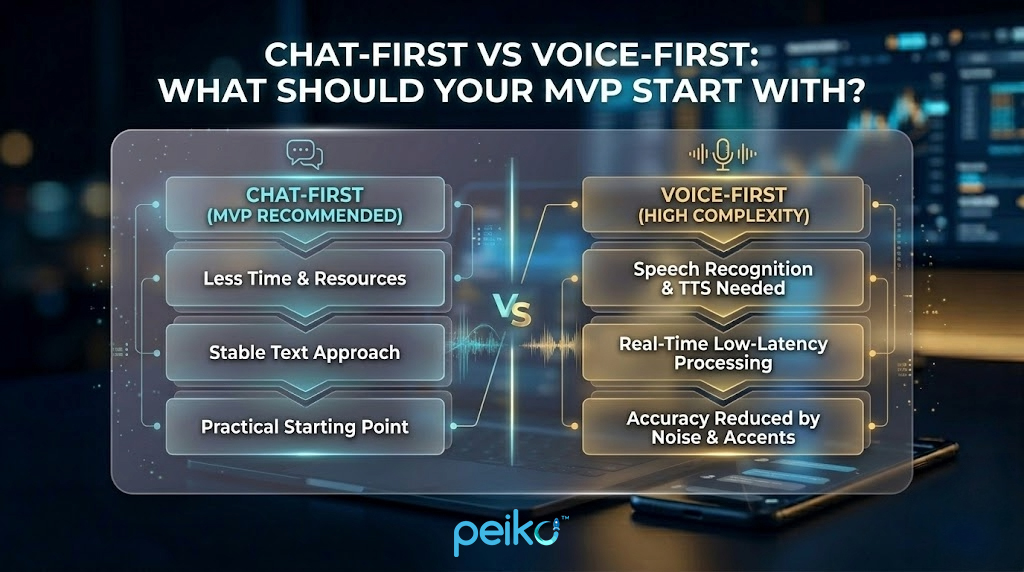
Creating a text bot takes less time and fewer resources. A voice interface requires speech recognition, text-to-speech, and low-latency processing in real time. It is also harder to test because background noise, accents, and interruptions reduce accuracy. For an MVP, a stable text product is the more practical starting point.
Admin Panel: The Part Most MVPs Forget
Developers very often focus only on the interface that the client sees, and completely ignore the tools for managing the system itself. No AI assistant scheduling will be able to work properly and for a long time in real business conditions without a reliable and convenient admin panel.
This internal tool must have a secure interface. It should display a clear list of all records in chronological order. Administrators must have the function of manual correction. If the client called the company directly and canceled the visit, the manager should quickly and easily free up this slot in the system. The panel should also have modules for configuring services, duration of procedures and staff work schedules. A very important engineering requirement is the presence of a section with the history of correspondence. The business owner or support operator should be able to read an accurate transcription of the entire bot dialogue with the client. This is critically necessary to understand the cause of a potential algorithm error or to understand a conflict situation.
Timeline: How Long Does It Take to Build an AI Scheduling Assistant MVP?
Companies need the most realistic timeline possible to plan a product launch and synchronize marketing campaigns. According to industry standards, an ai scheduling assistant timeline takes from 6 to 10 weeks. This is provided that a team of experienced Middle or Senior level specialists is working. The length of the mvp development timeline directly depends on how complex the architecture you choose will be.
This technological process is divided into several important phases:
- Discovery: 3-5 days. At this stage, architects collect technical requirements, choose the optimal language model (for example, through API providers) and design the database structure.
- UX + Conversation Design: 5-7 days. Creating interface mockups for the control panel and developing logical diagrams (how exactly the bot will conduct a dialogue).
- Dev: 4-6 weeks. This is the longest stage. Programmers write server code, configure database interaction, connect artificial intelligence and create a frontend for the admin.
- Integrations + QA: 1-2 weeks. Connecting external calendars and thoroughly searching for errors in the logic (for example, checking that the system does not record two people for the same time).
- Pilot: 1 week. Deploying the product on a production server and testing it on the first small group of real users.
Cost: How Much Does an AI Booking Assistant MVP Cost?
Budget depends on architecture scope, integrations, and data-storage choices. To explain ai booking assistant cost and ai scheduling assistant cost, it is useful to divide spending into three main tiers.
| Development Tier | Technical Specifications | Estimated Budget |
| Lean MVP | Web-based interface, Google Calendar connection, basic dashboard architecture, single location. | $15,000 – $35,000 |
| Standard MVP | Multi-channel webhooks, admin analytics module, Outlook API sync, multi-staff backend logic. | $30,000 – $70,000 |
| Advanced MVP | Voice processing algorithms, multi-location database structures, payment gateway integrations. | $60,000 – $150,000+ |
What Drives the Cost Up (and How to Control It)
In the process of creating complex software, budgets tend to grow rapidly if there is no technical control. To prevent AI scheduling assistant development from leading to financial exhaustion, it is necessary to understand the factors that most burden the architecture and require long-term work of programmers.
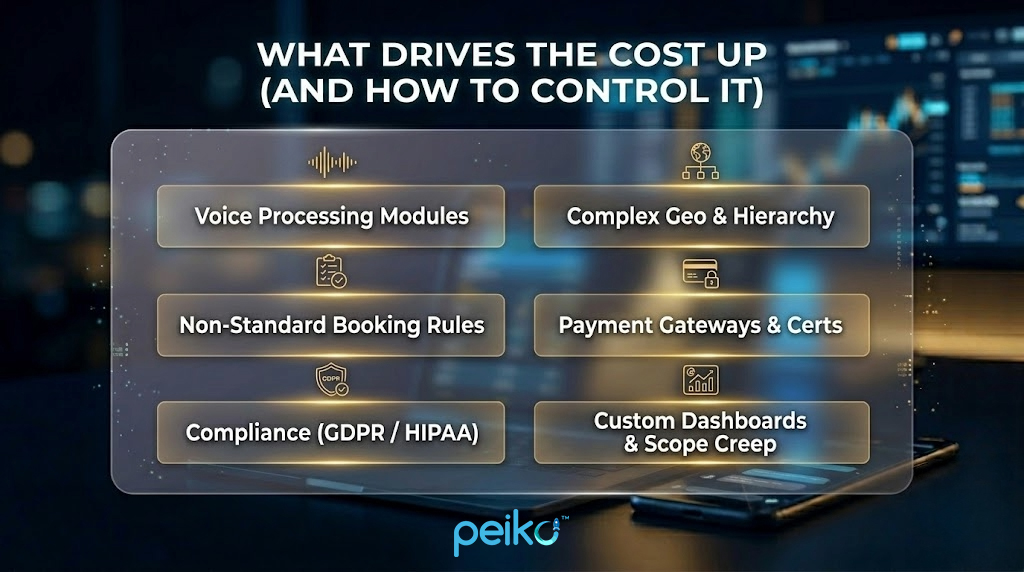
The integration of voice processing modules dramatically complicates the server architecture. Supporting a large number of geographical locations and a complex hierarchy of employees turns a simple slot search into a much more complex task that requires optimizing SQL queries. Adding non-standard rules, such as the dependence of one service on the presence of two different specialists at the same time, significantly extends the testing time. The implementation of financial transactions through payment gateways requires certification procedures.
Ensuring a high level of security and compliance (for example, the requirements of the European GDPR or the American HIPAA) forces you to build an encrypted data storage infrastructure. Also, developing custom dashboards with non-standard analytics graphs and constantly expanding technical requirements after the start of programming leads to a significant increase in the final cost.
Common Mistakes When Building an AI Scheduling Assistant
Developers often run into the same problems when designing logic. Experience shows that most failures are associated with incorrect backend planning and ignoring the behavior of the system in unforeseen situations. If you are developing a scheduling assistant, you need to eliminate these architectural defects.
The first system error is the desire to implement all the functionality (all communication channels, several languages) within the first release. The second mistake is the lack of a safe human fallback algorithm, which causes a looping bot to generate irrelevant responses. The third is ignoring system logging, which makes technical auditing after failures impossible. The fourth mistake is related to the development of an inconvenient or limited admin panel.
The fifth is a source of truth conflict, when the system cannot recognize which database has priority when updating the schedule. The sixth and most common engineering mistake is the lack of edge case testing. Developers often do not specify the logic for converting timezones for online meetings or forget to add algorithms for handling situations when a client ignores a visit, which causes the system to lose information about the relevance of the slot.

MVP Checklist (Before You Start Development)
Before programmers start writing the first line of server code, the technical leader must verify the architectural plan. This checklist will help organize the product requirements and ensure the MVP is designed without major gaps.
- All possible scenarios of a positive user path and the logic for handling critical errors are documented.
- Clear engineering triggers are defined, according to which the algorithm transfers control of the dialogue to a live support operator.
- A list of external APIs with which the system will synchronize in the first version is approved.
- A relational database structure is designed, taking into account query optimization for a quick search for free slots.
- A mathematical model is described for forming work schedules, processing days off, and calculating buffer time.
- Front-end layouts for the client widget on the site are approved, taking into account adaptive design.
- Prototypes of the administrator control panel were created and approved, covering all basic CRUD operations.
- A specific language model was selected from the provider, which was tested for response speed and accuracy of entity recognition.
- A well-thought-out architecture for processing parallel requests to prevent race conditions when booking the same time by different clients.
- An infrastructure was set up for continuous monitoring of server performance and recording dialog logs.
- An algorithm was created for correct processing of different time zones, which converts all dates to UTC format at the backend level.
- Basic transfer of customer data via webhooks to external systems for marketing needs was set up.
- A comprehensive system testing plan was prepared, which includes checking all technical limitations and extreme cases before launch.
Final Thoughts: Build the MVP That Actually Books Appointments
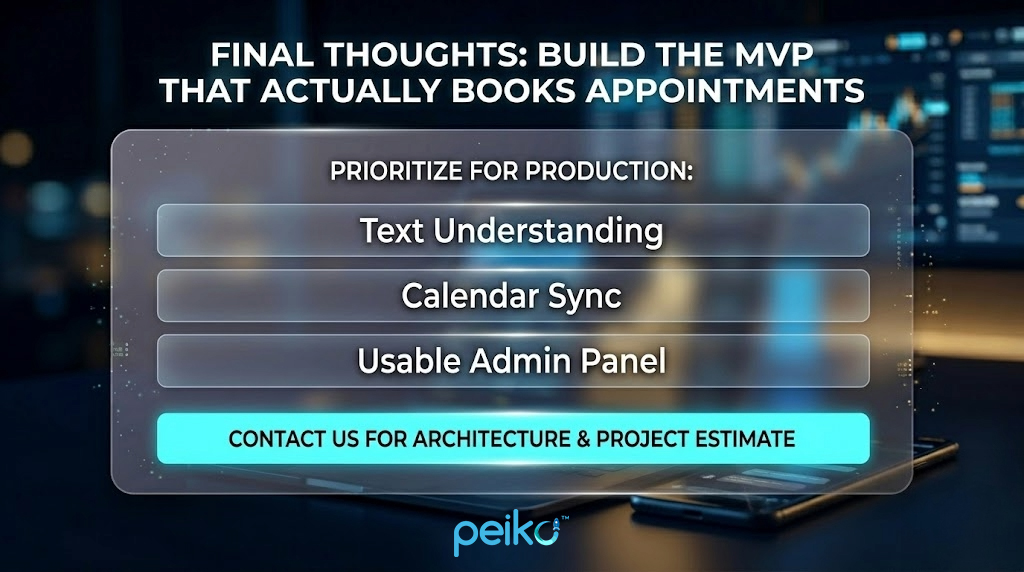
An MVP should focus on one job: booking appointments reliably. To build a product that works in production, prioritize text understanding, calendar sync, and a usable admin panel. Leave advanced analytics and voice features for later versions. A narrow scope and a strong core flow create the best foundation for future growth.
Peiko has extensive experience building high-performance booking platforms across multiple industries, from travel and wellness to service marketplaces and AI-powered automation. Our work includes developing advanced hotel and resort booking systems with rich filtering capabilities, allowing users to find the perfect option based on detailed criteria such as medical indications, procedures, meal plans, and wellness programs. We’ve been also helping our clients with specialized platforms that aggregate top health and rehabilitation providers, delivering seamless, highly personalized search and booking experiences.
Such systems should rely on flexible user roles, intuitive scheduling, and secure payment flows to ensure a smooth experience on both sides. Beyond travel, we’ve designed and launched service marketplaces that connect users with professionals, such as platforms where aspiring surfers can book lessons with experienced coaches, while instructors manage their services and monetize their expertise.
Many businesses aim to optimize resources and reduce administrative workload, which makes intelligent scheduling a key component of modern platforms, in other words — developing AI-powered booking assistants that handle customer requests seamlessly. Rather than relying on off-the-shelf tools, we in Peiko approach this as a structured development process, from shaping the initial idea to delivering a fully functional MVP. Let’s define the core features needed for the first release, design scalable backend and frontend architectures, plan realistic development timelines, and carefully structure costs across each stage.
To further enhance booking and customer engagement, Peiko develops white-label AI voice assistants that automate inbound and outbound communication. From handling appointment scheduling and answering FAQs to qualifying and converting leads, these solutions integrate effortlessly with tools like Google Calendar, Twilio, Zapier, and CRM systems. The result is a scalable, always-on booking ecosystem that combines intelligent automation with seamless user experiences, while helping businesses launch faster, avoid unnecessary costs, and stay focused on what truly matters at the early stages.
If you need help turning the idea into a real product, our team can support the process from concept to launch. Contact us to discuss architecture and get a project estimate.
No comments yet. Be the first to comment!