















The world of digital design is full of shiny trends, but not every new look actually helps users. For US founders and product teams, it’s critical to focus on changes that reduce friction, improve metrics, and make your product more delightful.
In 2026, the most impactful UI designs aren’t just visual. They should improve usability, onboarding, and conversions. From simplifying navigation to AI-assisted experiences, the right trends help users complete tasks faster and more efficiently while supporting measurable goals. Flashy animations and “trend-first” designs may catch the eye, but the best design decisions prioritize outcomes over aesthetics.
TL;DR: Top UI trends that actually move the needle in 2026
- Trends only matter if they improve a measurable UX metric — activation, conversion, time-to-value, task completion, or support tickets. Aesthetics alone don’t count.
- Highest-impact for SaaS & marketplaces: simplified navigation, better empty states (onboarding), accessibility-first design, mobile-first UI, and perceived performance.
- Subtle AI assistance (autofill, smart suggestions) beats AI-chat-everywhere — users trust invisible help more than obvious automation.
- Avoid: low-contrast minimalism, hidden navigation, icon-only UIs without labels, and AI chat replacing structured flows.
- Quick wins (1–2 weeks): better empty states, inline validation, clearer pricing CTAs. Bigger investments (4–8+ weeks): design systems, accessibility compliance, mobile-first navigation redesign.
| UI Trend | Primary UX Metric | Expected Business Outcome | Typical Improvement* |
|---|---|---|---|
| Simplified Navigation | Time-to-Value | Users discover features faster and complete core workflows sooner | ↓ Time-to-Value by 20–40% |
| Better Empty States | Activation | More new users complete onboarding and reach their first success | ↑ Activation Rate by 10–30% |
| AI-Assisted UI | Task Completion | Users make fewer mistakes and complete tasks with less effort | ↑ Task Completion by 15–35% |
| Microinteractions | Error Rate | Fewer user mistakes and lower frustration during key actions | ↓ User Errors by 20–50% |
| Accessibility-First UI | Conversion | More users can successfully use the product across devices and abilities | ↑ Conversion by 5–15% |
| Trust UI | Checkout & Sign-up Conversion | Users feel safer sharing data and completing payments | ↑ Checkout Conversion by 5–20% |
| Mobile-First Experience | Mobile Engagement | Higher engagement, lower bounce rate, and improved retention | ↑ Mobile Conversion by 10–25% |
| Optimized Pricing UI | Trial-to-Paid Conversion | More visitors understand pricing and start paid plans | ↑ Trial Conversion by 5–20% |
| Scalable Design System | Development Velocity | Faster product delivery with fewer UI inconsistencies | ↓ Design & Development Time by 20–40% |
| Perceived Performance | User Satisfaction | Faster-feeling interfaces improve engagement and retention | ↓ Bounce Rate by 10–30% |
SaaS UI Trends 2026: Why UI Trends Matter Only If They Improve a UX Metric
Seeing something new and exciting in Dribbble or on Product Hunt is fun.
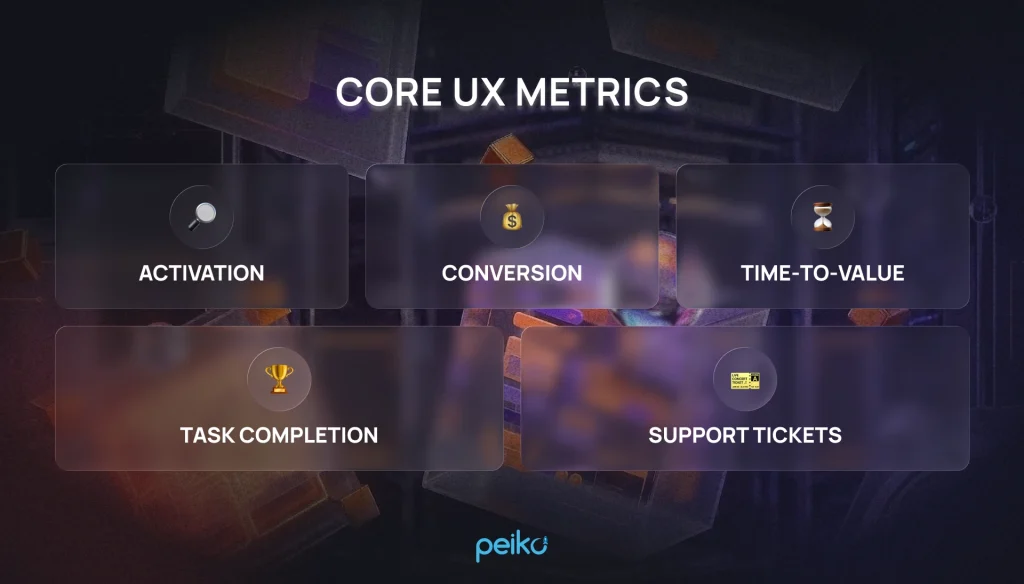
UI trends only matter if they translate into better product metrics for real users. Here are the core metrics that should guide any design choice:
- Activation: How quickly a new user discovers value
- Conversion: Turning free users into engaged or paying customers
- Time‑to‑Value: How fast users accomplish key tasks
- Task Completion: The percentage of users who finish critical workflows
- Support Tickets: A proxy for confusing or frustrating flows.
Design decisions should never be guided by aesthetics alone. Modern UI patterns should speed users to value, reduce confusion, and drive favorable analytics — not just fill a style trend checklist.
Trend #1 Simplified Navigation + Progressive Disclosure
One of the most impactful ways to reduce cognitive load is to simplify interface structure. Complexity in SaaS dashboards and marketplaces can intimidate new users — and prompt abandonment. Simplified navigation and progressive disclosure reflect strategic minimalism, reducing visual noise and improving user confidence by helping people focus on one task at a time.
Why it matters:
- Streamlines learning for new users
- Improves discoverability of core features
- Reduces abandonment due to overwhelming interfaces
Where it works best: dashboards, admin consoles, multi‑feature products.
Risks: Excessive hiding of advanced features can frustrate power users. In 2026, saas design is moving toward intent-driven spaces in enterprise saas, where navigation brings the user closer to the next action. The key is intelligent prioritization — show common actions up front, reveal complexity only when needed. Spotlight UX keeps complex menus out of the way, while advanced settings and filters stay hidden until needed.
The dominant navigation pattern in 2026 is the collapsible sidebar with contextual sub-navigation — used, with variations, by products like Notion, Linear, Asana, and HubSpot. The details differ based on content structure: Notion’s sidebar expands into a nested tree because its content model is inherently hierarchical, while Linear keeps its sidebar flat and minimal because its data model (issues, projects, cycles) doesn’t need deep nesting. The lesson for founders: don’t copy a navigation pattern wholesale — match it to how your own data is structured.
Implementation Tips:
- Prioritize commonly used actions upfront; unified command palettes let power users move through a saas platform with keyboard shortcuts and global commands
- Hide advanced or rarely used features under progressive layers
- Use contextual menus to reveal complexity only when necessary
2026 Hot Trend: adaptive interfaces change navigation by the user’s role, so the same product can surface a different layout and hierarchy depending on the user’s role. AI can dynamically surface the most relevant features for each user segment.
Trend #2 Better Empty States (Empty UX = Onboarding)
Empty states are often overlooked but they’re a powerful opportunity to guide users. A blank dashboard isn’t a bug — it’s a moment of learning. In 2026, forward‑thinking teams are turning empty states into guided onboarding: with templates, checklists, examples, and clear calls‑to‑action that help users understand what to do next.
This approach works like guided discovery rather than passive presentation, particularly for SaaS workflows, marketplaces that require setup, or collaborative apps where first‑use clarity is critical.
Best practices for empty UX:
- Provide contextual examples of what “done” looks like
- Include next steps linked to meaningful outcomes
- Avoid generic “no data” messages that leave users guessing
A well-known example of this approach is how Notion treats blank pages: rather than showing an empty canvas, it surfaces templates, prompts, and example content immediately, turning a potentially intimidating first screen into a guided first action. The principle scales down easily — even a simple SaaS dashboard can replace “No data yet” with a one-line prompt and a clear next step.
Beyond function: emotional design as retention. Small delight moments — a celebratory animation when a user completes their first task, human-toned microcopy instead of generic system messages — are no longer confined to consumer apps. B2B SaaS products are adopting these cues because they measurably affect early retention: users who feel a moment of delight in their first session are more likely to return in the following days. The key is restraint — one well-placed moment of delight per core flow, not animation on every click.
Hot Trend 2026: Gamified empty states that reward first actions, increasing motivation and engagement in the first session.
Trend #3 AI-Assisted UI (Subtle, Not “Chat Everywhere”)
Artificial intelligence continues to reshape UI design in meaningful ways since recent years, especially in personalization and task support, with AI increasingly acting as invisible infrastructure inside SaaS products rather than being marketed as the headline feature. Novicell’s trend report specifically highlights how advanced machine learning and AI are transforming interfaces into adaptive and proactive experiences, and AI-driven personalization is quickly becoming a standard expectation.
In 2026, subtle AI assistance boosts productivity without dominating the interface.
Examples:
- Smart autofill for forms and search
- Intelligent suggestions based on previous interactions
- Predictive “next best action” prompts
AI-driven personalization also powers Just-in-Time (JIT) UI and intent-driven layouts that surface the right tools and data for the current task while hiding unnecessary features, and this is now a standard expectation in SaaS design. It can adapt around the user’s role and preferences, showing an expected feature like a command palette only when it adds value.
This shift toward invisible AI is already visible in how some products talk about their own features. Notion, for instance, has quietly moved away from branding “Notion AI” as a standalone selling point — the assistance is simply built into writing, summarizing, and search, without a badge announcing it. That’s the signal to watch for in 2026: when AI stops being a marketing headline and starts being a product expectation.
Benefits:
- Reduces user effort and errors
- Improves task completion rates
- Personalizes workflows for different user segments
These patterns can reduce time-to-value while keeping experiences aligned with shifting user expectations.
Risk: Overuse can erode trust. Transparency and optional AI controls are key to adoption.
Hot Trend 2026: Context-aware AI tooltips that respond to the user journey and support faster decision making by suggesting shortcuts or tips just in time, blending learning and productivity.
Trend #4 Microinteractions That Prevent Errors
Microinteractions are small moments with big impact. They provide feedback, reduce errors, and keep users confident in the flow, and thoughtful motion design helps make these feedback moments feel clear and trustworthy. These include:
- Inline validation that flags errors before submission
- Undo actions so users feel safe exploring
- Clear loading states that communicate progress, using subtle micro animations as interactive cues on interactive elements to guide attention
- Confirmations for destructive actions
They may seem subtle, but microinteractions can dramatically improve task completion and reduce frustration, which in turn lowers support tickets. Purposeful micro-delays can also increase trust when feedback is immediate and easy to understand.
Hot Trend 2026: Haptic and subtle auditory feedback in web apps and mobile interfaces, enhancing trust and interaction clarity.
Trend #5 Accessibility-First UI (ADA + WCAG)
Accessibility is quickly shifting from fringe nice‑to‑have to essential compliance — especially in the US.
Why it matters for founders:
- ADA lawsuits are on the rise for non‑compliant digital products
- Accessibility enhancements improve conversions by including more users
- SEO and reach improve with inclusive structure
Basics include color contrast, keyboard navigation, focus states, alt text, screen reader compatibility, and support across different screen sizes. Following WCAG standards isn’t just ethical — it’s good business, and accessible support for keyboard navigation and screen readers helps a broader target audience use the product.
Hot Trend 2026:AI-powered accessibility checks integrated into design tools, automatically flagging potential accessibility issues before deployment, while consistent ui components and clear visual language make accessible patterns easier to apply across the interface.
Trend #6 Trust UI: Security, Privacy & Payments as UX
Trust isn’t just UI fluff — it’s part of the user experience. A clear, transparent interface with clear messaging around permissions, data use, and payments reduces anxiety and abandonment.
Best trust UI patterns:
- Explain “why we ask for this” when requesting sensitive data
- Clear and secure checkout flows
- Recognizable patterns for login/authentication
- UI signals that prevent fraud and misuse
- Social proof such as logos, testimonials, or case studies, especially from enterprise clients
Real examples and relatable customer scenarios help establish credibility on saas websites.
Trust UI is UX. When users feel secure and informed, they stay engaged.
Hot Trend 2026: Permission dashboards that show users real-time visibility into what data is collected and how it’s used, increasing trust and retention.
Trend #7 Mobile-First SaaS UI (Not Just Responsive)
In 2026, simply making your SaaS product “responsive” is no longer enough. US users expect a mobile-first experience that feels native on handheld devices, not a scaled-down desktop version, especially on a saas homepage where first impressions shape conversion. Mobile-first design prioritizes touch interaction, screen constraints, and on-the-go usability, which directly impacts mobile conversion optimization and overall engagement.
Why it matters:
- Mobile accounts for a growing share of SaaS sign-ups, trial activations, and marketplace bookings, so friction on small screens can directly reduce the number of visitors who sign up.
- Optimizing for small screens ensures faster task completion, fewer errors, and higher retention.
- Touch-first design reduces friction for key flows like onboarding, input forms, and checkout.
Where it works best:
- SaaS dashboards used on tablets and smartphones
- Mobile marketplaces (booking, browsing, discovery)
- Subscription signup and trial flows
Mobile-friendly interactive demos and product demos now often replace static screenshots, helping users explore the product before committing; this improves how users experience the value on smaller screens and lowers friction in the decision-making process.
Risks:
- Overcrowding the small screen can overwhelm users.
- Ignoring offline behavior may frustrate users in low-connectivity areas.
How to implement:
- Touch gestures: Swipe, tap, and long-press actions for primary tasks. Track gesture success rates and task completion metrics.
- Progressive Web Apps (PWAs): Enable app-like performance with offline caching, push notifications, and fast load times. Monitor engagement metrics and offline usage frequency.
- Offline behavior: Allow key actions like reading dashboards, drafting content, or booking items without internet. Track offline completion vs. sync success once online.
Hot Trend 2026:
- Adaptive mobile layouts that adjust based on device type, orientation, network speed, and user context.
- Gesture-driven shortcuts for power users to reduce taps and time-to-value.
- Offline-first experiences, enabling users to continue work anywhere, which is especially important for US users on-the-go.
Trend #8 Pricing & Checkout UI That Converts (US SaaS Pattern)
Pricing and checkout pages are UX goldmines in saas website design. In 2026, a high-converting SaaS website is built around clarity, proof, and momentum to drive demo requests and trial starts. Poorly designed pricing layouts can sabotage conversions even for excellent products, and strong SaaS website design affects revenue by shortening the gap between interest and action.
Effective pricing UI patterns use simple messaging to speed evaluation and include:
- Comparison tables showing clear differences between plans
- Monthly/annual toggle with savings highlighted
- Avoiding dark patterns or hidden fees
- Frequent placement of CTAs that reinforce clarity and choice; a golden rule is that visitors should understand the offer within 10 seconds
Concise hero messaging and interactive product demos help users understand the product faster and reduce signup friction on a saas landing page.
High-converting saas websites rely on clarity, proof, and momentum to move users toward trials or demos.
Remember: transparency builds trust.
Hot Trend 2026: AI-driven pricing suggestions and smart bundling based on user behavior patterns.
Trend #9 Design Systems That Scale (Consistency > Fresh UI)
A design system isn’t a trend but an infrastructure. In 2026, teams that invest in scalable systems see faster development cycles, fewer inconsistencies, and more predictable quality by standardizing the product ui.
Benefits:
- Component‑driven UI that fosters reuse
- Fewer UX inconsistencies across screens through shared color, typography, and other ui components across a saas platform
- Better performance and maintainability
Some 2026 systems also use monospaced fonts and wireframe-like structures for clearer data presentation.
Consistency builds familiarity, which in turn reduces cognitive load for users and helps saas brands maintain a recognizable identity across touchpoints.
Hot Trend 2026: AI-assisted design systems that automatically generate and adapt components for new screens, keeping branding and accessibility intact.
Trend #10 Perceived Performance UI
Performance isn’t just speed — it’s perceived speed, and calm design helps interfaces feel responsive without creating unnecessary stress.
Patterns that improve perceived performance:
- Skeleton screens instead of blank loaders
- Optimistic UI that assumes success and rolls back on error
- Instant feedback for user actions
- Deliberate but minimal loading transitions
- aesthetic minimalism only when it supports feedback and clarity rather than hiding system status
Context-aware themes can adjust contrast and lighting conditions to support faster, calmer perception in different environments.
When users feel that a product is fast, engagement and satisfaction improve even if backend latency exists.
Hot Trend 2026: Real-time predictive loading based on user behavior, pre-loading content most likely needed next to eliminate wait times.
UI Trends That Look Modern but Hurt UX (Anti‑Trends)
Not every shiny trend improves usability, and some anti-trends create cognitive overload instead of reducing it. Anti-trends include:
- Low contrast minimalism
- Hidden or ambiguous navigation
- Heavy motion/animations, where layered translucency and fluid layers can create Liquid Glass styling, but they become harmful when they do the heavy lifting instead of usability; emotional design should support delight and build an emotional connection without hurting clarity, and even B2B SaaS is adopting more personality and delight to improve engagement and retention
- Icon-only UIs without labels
- AI chat replacing structured flows
Better 2026 saas design trends favor calm interfaces and strategic minimalism as SaaS applications respond to software fatigue and notification burnout by hiding non-essential elements and prioritizing focus over visual excess.
Focus on what helps users, not what simply looks trendy.
How to Validate UI/UX Design Trends in Your Product
Before implementing trends, validate them rigorously through user-centered design. For ui ux design trends 2026, consider:
- Analytics review to spot drop-off points
- Usability testing for pain points
- Heuristic evaluation to catch interface flaws
- A/B testing to measure impact
- Quick user interviews and surveys to capture motivation and satisfaction, then turn findings into personas that reflect your target audience
Validation ensures that adoption drives measurable outcomes, not just aesthetics.
In modern SaaS products, UI improvements should be validated with product analytics and experimentation tools, especially as user interface design for SaaS applications in 2026 shifts toward adaptive, intelligent, and trust-driven work environments. The most successful teams treat every design change as a measurable product hypothesis. Validate the full user journey, because scalability is a recurring design challenge in saas applications and new features should preserve the user experience.
How to Measure the Impact of Each UI Trend:
| UI Trend | How to Measure It | Tools |
| Simplified Navigation + Progressive Disclosure | Track feature discovery rate, navigation click depth, time-to-first-action, and task completion rate to see if users reach key features faster and complete workflows with fewer steps. | Mixpanel, Amplitude, Heap |
| Better Empty States (Onboarding UX) | Measure activation rate, onboarding completion, first meaningful action, and Day-1 retention. Track the path from account creation to the first successful task. | Mixpanel, Userpilot, Appcues |
| AI-Assisted UI | Monitor AI suggestion acceptance rate, task completion speed, productivity improvements, and error reduction. Track events like AI suggestions shown vs accepted. | Amplitude, PostHog, FullStory |
| Microinteractions That Prevent Errors | Measure form completion rate, error rate, form abandonment, and UX-related support tickets. Inline validation should reduce mistakes before submission. | Hotjar, LogRocket, FullStory |
| Accessibility-First UI | Evaluate accessibility audit scores, conversion changes, bounce rate, and usability feedback from accessibility users. | Google Lighthouse, axe DevTools, WAVE Web Accessibility Evaluation Tool |
| Trust UI (Security, Privacy & Payments) | Track checkout completion rate, payment abandonment, verification success rate, and fraud reports to determine whether users trust the interface. | Stripe analytics, Mixpanel, Sentry |
| Mobile-First SaaS UI | Segment analytics by device and measure mobile conversion rate, mobile bounce rate, session duration, and task completion on mobile devices. | Google Analytics, Amplitude, Firebase Analytics |
| Pricing & Checkout UX | Track the funnel pricing page view → plan selected → checkout started → payment completed. Monitor revenue per visitor and checkout drop-off. | Stripe analytics, Mixpanel, Optimizely |
| Design Systems That Scale | Measure design-to-development cycle time, UI bug rate, component reuse, and release velocity to determine development efficiency. | Figma, Storybook, Jira |
| Perceived Performance UI | Measure bounce rate, time-to-first-interaction, page abandonment, and engagement time to see whether perceived speed improves user experience. | Google Lighthouse, WebPageTest, Datadog |
What We Recommend for US SaaS & Marketplace Products in 2026
Top 5 trends worth prioritizing across all seven trends:
- Simplified navigation + progressive disclosure
- Better empty states and onboarding UI
- Accessibility-first design
- Mobile-first SaaS UI
- Perceived performance enhancements
Quick Wins (1–2 weeks):
- Improve empty states with guided next steps
- Add inline validation and undo features
- Improve clear messaging on the saas homepage and refine pricing page CTAs
Roadmap (4–8+ weeks):
- Build or refine a design system
- Implement accessibility compliance upgrades
- Redesign navigation for mobile first
These initiatives balance feasibility with measurable improvement. For many saas companies, emotional differentiation now matters too, especially as B2B products borrow cues from consumer apps. Lightweight AI tools also help teams generate on-brand microcopy or visuals faster.
Conclusion
UI trends in 2026 are exciting, but the winners in saas design are those that make products easier to use, faster to learn, and more delightful to return to. If you want to modernize your SaaS UI without hurting conversions, we can review your product and propose a prioritized UI upgrade plan. A follow-up UX audit ensures changes align with both user needs and business goals, and you can start with a free consultation.
No comments yet. Be the first to comment!