
















To keep up with the trend, about once every few years it is necessary to conduct an audit of your website to determine whether it meets the trends of design and usability.
Having redesigned the site, many owners, instead of a jump in promotion, are seeing a clear decline in their positions. This can happen due to incorrect configuration of technical aspects, since redesign most often involves not only changing the design itself, but also the structure of the site, and even switching to another content management system (CMS), which is impossible without a website redesign checklist.
Besides, website redesign can “break” traffic, download speed, and conversion (leads) due to errors. Search engines perceive a new site as a partially new resource: the URL, structure, texts, internal links, and technical signals change. If changes are made without SEO control, the site loses its accumulated weight.
In this article, we have compiled a checklist of what to fix first in order not to lose the rating and not harm the promotion of the web platform.
Why Website Redesigns Fail (Even When the Design Looks Better)
A beautiful site look (UI) does not always guarantee conversion growth. Thus, it is important to use website redesign strategy to not to break something that has been working properly for years.
Typical redesign failures may be related to SEO errors, loading speed, structural errors, or messaging issues:
| SEO issues | These are errors such as changing URLs without redirects, loss of texts and structure, broken internal linking, loss of meta tags and SEO settings. |
| Slow page speed | Users notice too heavy images and scripts, CSS and JavaScript optimization issues, problems with mobile optimization. |
| Structural errors | Deleted pages that bring traffic, incorrect operation of links, as well as technical failures and the appearance of 404. |
| Messaging issues | Mostly the drop in conversions as a result of changed scenarios, broken interaction logic, and disappearance of elements that led users to the resolution. |
Website Redesign Audit: What to Review Before You Touch the Design
A website redesign audit is a comprehensive analysis of its visual and functional elements, which is conducted in order to identify shortcomings that prevent users from interacting comfortably with the resource.
Its main purpose is to determine which design elements work effectively and which require improvement or complete revision.
Before redesigning the site, it is recommended to collect data in various areas: analytics, heatmaps, conduct an SEO audit and identify the leading pages. This will help identify problems, optimize site elements, and maintain positions in search results.
Analytics
You can use web analytics tools to grab data on traffic, visitor behavior, and conversions. Here are some of them:
- Google native tools – with them you can analyze existing traffic, login pages, audience specifics and geography, etc.
- Open Web Analytics allows you to discover site visitor behavior and interaction with content in real time.
The website redesign checklist will help you identify what’s already working, rather than starting a redesign from scratch.
Heatmaps
Create heatmaps, a visual representation of data showing the user’s activity level on a web page. Some types of heatmaps:
- Click maps show where and how often your website visitors click on a page.
- Cursor movement maps – display the trajectory of the cursor.
- Scroll Maps – show how deep users scroll through the page and where they usually stop.
Checking heatmaps helps:
- Identify the most in-demand interface elements;
- Discover the “blind spots” that users ignore;
- Analyze navigation and identify barriers in the user’s path;
- Evaluate the effectiveness of button placement for performing targeted actions (CTAs).
SEO
With SEO audit you can identify factors that negatively affect ranking. Some audit components of the website redesign checklist are:
- Technical analysis. It checks the page loading speed, adaptability to mobile devices, URL structure and internal links.
- The analysis of external factors. It is the study of the reference profile and mentions.
- Competitive analysis is a comparison with niche leaders.
Leadpages
Some expert recs about leadpages are:
- Consolidate your positions in the main semantic clusters, especially for high-frequency queries and conversion requests.
- Use a list of queries for which the site is ranked and receives traffic.
- Finding links to webpages with the most traffic will allow you to understand visitors behavior after the redesign.
What to Fix First in a Website Redesign (Priority Framework)
The priorities depend on the goals of the website redesign process: to improve the structure, design, functionality, or optimize the site for search engines (SEO).
Next are the basic priorities:
- Adaptability. It is crucial that the site interface is operated correctly on mobile screens as well as on desktop.
- Ease of use. The simpler the site, the longer users stay on it. For example, a complex registration form with a bunch of fields reduces conversion. Solution: reduce the amount of required data.
- Latest trends. If a site uses outdated technologies, it lags behind its competitors. It is important to implement the freshest solutions: animation, microinteractions, and modern fonts.
- SEO and search. A redesign can improve or worsen the site’s position. It is necessary to preserve the URL structure, optimize images, and prescribe meta tags.
A redesign is not just a new interface, but a comprehensive improvement of the project according to the website redesign checklist. It is important to consider everything from adaptability to SEO so that the site works better and benefits the business.

Checklist #1 Messaging and Structure (Before UI)
Qualitative and quantitative studies should be conducted before the redesign. It helps to understand the problems of the current product, user behavior and their expectations. Some elements of the research:
- User data analysis – which pages are the most popular, how much time users spend on the site, which causes churn.
- Studying UX – heatmaps, session recordings, user feedback.
- Competitor analysis helps to identify weaknesses in the product.
Messaging research helps to identify not only common issues, but also unexpected behavioral nuances. Some elements of the strategy:
- Creating an information architecture – site maps, section structures.
- Designing user flow scenarios and conversion funnels.
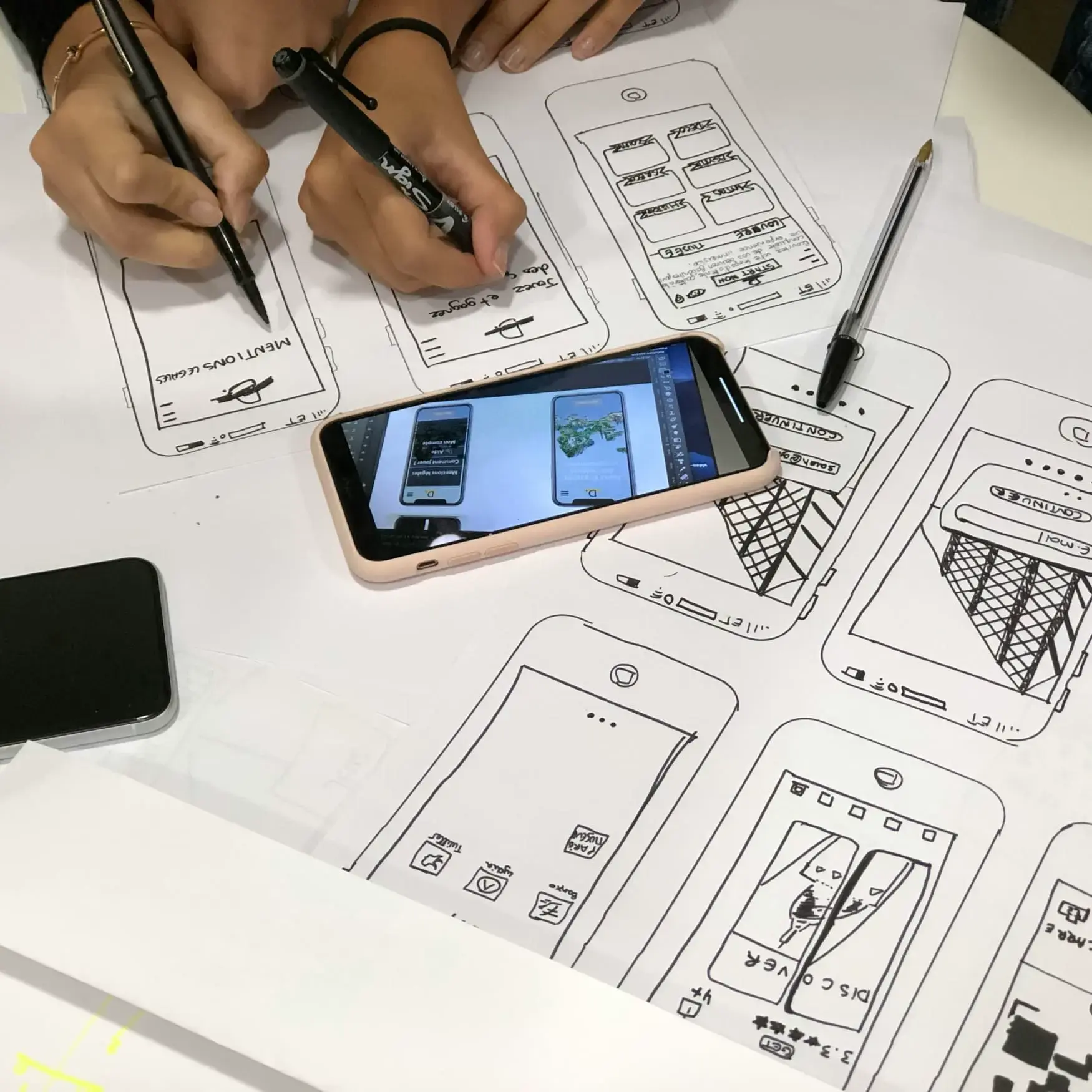
- Prototype development – they help visualize the future layout of elements on pages and test how convenient it will be for users to interact with the service.
Checklist #2 UX and Conversion Rate Optimization
When redesigning a website, it is important to consider that conversion is rarely based on a single element. The conversion level consists of a chain of small, often unobvious decisions: the block order, wording, button layout, and interaction patterns.
UX Optimization
Some aspects that need to be improved while website UX audit:
- Navigation – structured menu, convenient links, logical organization of pages.
- Download speed – slow websites annoy users, forcing them to leave the site. For optimization, you need to minimize the amount of graphic elements, use file compression, and configure servers to respond quickly.
- Interactive elements such as surveys, quizzes, and calculators can increase user engagement and time on the site.
- User opinions – daily or weekly collect feedback through surveys and feedback forms to clarify what is working good and what is not.
Conversion rate optimization
Some recs for users to perform website conversion rate optimization:
- Identify the key elements that influence conversion – buttons, forms, and content blocks that most often lead to targeted actions. It is important not to break them during the redesign.
- Simplify the path to the target action without losing its meaning. For example, simplify formulations, rearrange blocks, and clarify accents.
- Eliminate ambiguous wording and visual conflicts.
- Strengthen key arguments in moments of doubt.
- Use a step-by-step redesign – when the structure, texts, visual and logic of interaction change simultaneously, the team loses the opportunity to understand what exactly influenced the result.
- Leave some of the elements unchanged – if the block, wording, or script works stably, it does not need to be “improved” for the sake of design integrity.
CTA (Call to Action)
Some recommendations for developing effective CTAs:
- Dive into text – write in simple and understandable phrases, indicate benefits, time limits, promotions.
- Choose the location – if it’s a landing page and the call is needed for conversion, choose the first screen, if to go to another page – one of the following blocks.
- Conduct A/B testing – create several call-to-action options, and then check user reactions to each one in turn.
Checklist #3 Performance and Core Web Vitals
It is crucial to understand enough the performance and core web vitals of the site. Here are some metrics to keep track of during the website performance optimization:
- Download speed. A slow website is a loss of customers: every second of delay reduces conversion by 7%.
- Lack of mobile adaptation. A website without an advanced mobile version loses more than half of its users.
- Outdated visual style. Users perceive outdated design as a sign of the unreliability of the company.
- Difficulties with content support and scaling. For example, the admin panel slows down content management.
- Conversion rate. Shows which part of the users are converted and become leads.
- The number of pages viewed. With it, one can understand where traffic is coming from, the length of time spent on the site, and the exit points from the site.
Checklist #4 SEO: How to Redesign Without Losing Rankings
It is important to preserve the accumulated SEO achievements, prevent mistakes and control changes after launch.
Some recs for website redesign for seo:
- Think over the structure of the website. Make sure that you can get to any important page from the main page in 2-3 clicks.
- Save and improve the content. Texts that already bring traffic should not disappear or be radically rewritten.
- Optimize images according to the website redesign checklist. Transfer alt attributes, use modern WebP formats, set up lossless compression and lazy loading.
- To test the new design on a temporary URL. This will help to avoid problems with duplicate content and keep the current site operational during the redesign.
- Move the changes to the main site. After the technical seo audit and testing are completed and you are confident that the new design will work, transfer the changes from the temporary URL.
After the redesign is launched, post-release monitoring should be carried out.
Checklist #5 Accessibility (Often Ignored, Always Expensive Later)
Some errors that occur due to ignoring website accessibility checklist:
- Missing or insufficient alternative text. Without descriptive alt text, screenreader users remain in the dark.
- Missing or incorrect labels of form fields. Fields without <label> elements or those that use only placeholder text are confusing for screen readers.
- Inconsistent header structure. Thanks to headings visitors understand the structure of a particular content.
Website Redesign Plan: Timeline and Phases
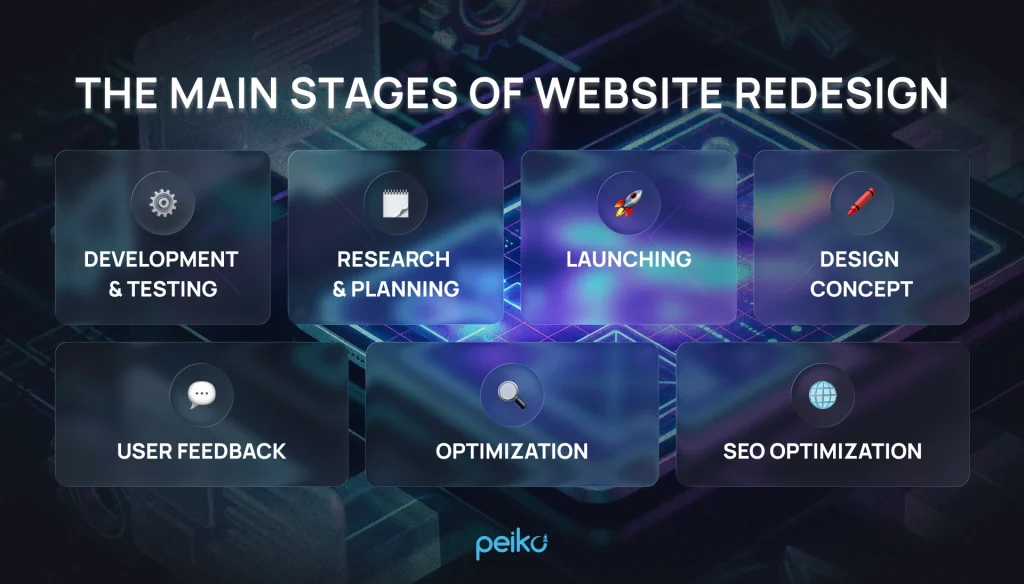
A redesign plan can include several stages, and the timing depends on the scale of the project and the complexity of the tasks.
The stages of the website redesign plan:
- Audit process – up to 14 days. They analyze web analytics (traffic, behavior, funnels), conduct SEO audits (positions, technical errors, speed), and study UX (heatmaps, session recordings, and user reviews).
- Creating a plan – up to 14 days. Key decisions are being made: the goals of the redesign in a specific timeframe, the scale of changes, what remains and what is changing, as well as the SEO migration plan. The result is a strategic document and a technical specification.
- UX design takes 2-4 weeks. They create an information architecture (a site map, a section structure), design a user flow (scenarios, conversion funnels), create wireframes and prototypes for testing by users.
- The development period is 3-6 weeks. They develop 2-3 visual concepts, coordinate the direction, create the design of key pages, form a design system and work on adaptive versions. Important: the design should take into account the requirements of an SEO search engine – a place for text content, a hierarchy of headings, “bread crumbs” and internal links.
- Development and testing – 5-14 weeks. Template layout, CMS integration, functionality development, content management, SEO customization (redirects, meta tags, markup). Then testing: functional, cross-browser, adaptive, load-bearing.
- Launch and monitoring – 1 week + monitoring. The first two weeks are a critical monitoring period: search positions, traffic, conversions, and indexing errors.
Redesign of a large website is rarely launched at the same time – a phased release is practiced: first a test group of users, then a gradual expansion of the audience.
Website Redesign Cost and Pricing: What Impacts the Budget
Pricing may vary depending on the business area – small, B2B, or SaaS.
Small business
For small businesses, the cost of a redesign may be lower than for complex projects. Some factors that affect the budget:
- The scope of work. The more items you need to recycle, the higher the cost.
- The complexity of the concept. Developing a unique style or animations requires additional resources.
- Time frame. Urgent projects often require increased attention, which can lead to increased overall costs.
B2B
For B2B companies, the website redesign pricing may be higher than for small businesses. Some factors that affect the budget:
- Individual requirements. An exclusive design can raise the website redesign cost.
- Increasing the number of users. Scaling up the project requires additional costs for optimizing the sites related to throughput.
- Testing. For serious projects, a separate budget may be required to test the system for its ability to withstand real increased loads.
SaaS
For companies operating under the SaaS model, the cost of redesign may be lower than for complex projects. Some factors that affect the budget:
- The monetization model. Subscribing or paying for the features actually used can reduce development costs.
- Scalability. SaaS solutions scale easily, allowing companies to access additional features and resources as needed.
- Automatic updates. All updates and new features can be deployed automatically, reducing development costs.
It is important to keep in mind that the cost of a redesign is an individual approach, and what affects the budget for one project may not affect the cost for another.
The following things affect the budget.
| Scope of work | The more pages with a unique structure, the more time it will take specialists to make changes. For example, upgrading a landing page will take less time than making changes to a large corporation’s website. |
| Complexity | Technical specifications based on original ideas can lead to longer working hours, which will affect the price. |
| Deadlines | Urgent projects often require increased attention and additional resources, which can lead to increased overall costs. |
| Executor | The qualifications and experience of a designer or agency affect the price. Highly professional specialists or companies with a good reputation usually charge more for their services. |
B2B Website Redesign Notes (SaaS and Service Businesses)
The redesign of a website for B2B (SaaS and service companies) has features related to goals, target audience research, site structure and optimization. These features are related to the specifics of the B2B segment: B2B buyer’s journey studying, comparing and often getting the opinion of several stakeholders before making a decision.
The website should support the process of interaction with the customer – from the first contact to making a decision about the purchase and further use of the product.
Some of the goals of a B2B website redesign are:
- Increase conversion – Improve user experience affects conversion rates.
- Adapting to mobile devices – given that mobile traffic exceeds desktop traffic, adaptive design is a necessity.
- Improving SEO metrics – modern search algorithms take into account the usability of the site, including loading speed and adaptability.
- Integration of new technologies – saas website redesign allows the introduction of modern analytics tools, CRM systems and marketing automation.
Website Redesign Checklist (Copy/Paste Version)
Before launching this work, make sure to review the website redesign checklist of what exactly you need to do:
- Create a redesign team in your company;
- Understand what your old website is missing;
- Develop a redesign action plan;
- Identify the target audience of your website;
- Ensure to work with website redesign services who are well versed in project management;
- Work with the contractor to develop a redesign strategy;
- Find sites that you like;
- Set the metrics and measure them in advance;
- Do not consider the redesign only as a change in the appearance of your website;
- Download site statistics before starting the redesign;
- Write down your final goals for the website before starting;
- Align the website redesign goals with your business goals;
- Do a little research to find out how the average user interacts with websites;
- Redesign will take several months, be ready for this;
- Hire a copywriter;
- If you change the URLs of web pages, use 301 redirects;
- Focus on the desired business results;
- Break the redesign tasks into segments as much as possible;
- Conduct an A/B test;
- Don’t put your design vision above the recommendations of designers and marketers;
- Find a good web redesign company developer;
- Check the contractor’s work daily or weekly;
- Get distracted after creating each new section of the site;
- Test the new website to ensure successful user interaction;
- Pay attention to the CMS of the new website;
- Use CTA as it is something that will increase the conversion rate to a sale.
Final Thoughts: How to Redesign a Website Without Regrets
In conclusion, we suggest once again paying attention to the basic things. If you decide to redesign your website without regrets, remember this:
- Prepare yourself properly and learn how to redesign a website well. Fix the original data, perform an audit, and create backups.
- Make changes gradually and monitor user reactions. If this is impossible, do everything on a copy of the site that is closed from the index, and carefully test everything before delighting users with global changes.
- The map redirects and informs about errors on the 404 page in order to reduce the number of failures and reduce the drawdown of the site’s positions in search systems.
- Check that the transfer of content and metadata is correct, as well as whether indexing is open in robots.txt , whether new site maps have been created.
- Add up-to-date information to the webmaster dashboard.
- Keep track of the changes and study the opinions of users.
No comments yet. Be the first to comment!